Webflow has clean code, but a CMS that fights writers
Webflow outputs beautiful HTML and unmatched design control. But its CMS wasn't built for SEO-focused blogging: item caps, manual schemas, no IndexNow. When content is your growth engine, those limits cost you. Quilzy fixes all of it automatically.
Migrate from Webflow in under 10 minutes. No credit card required.
Performance that ranks
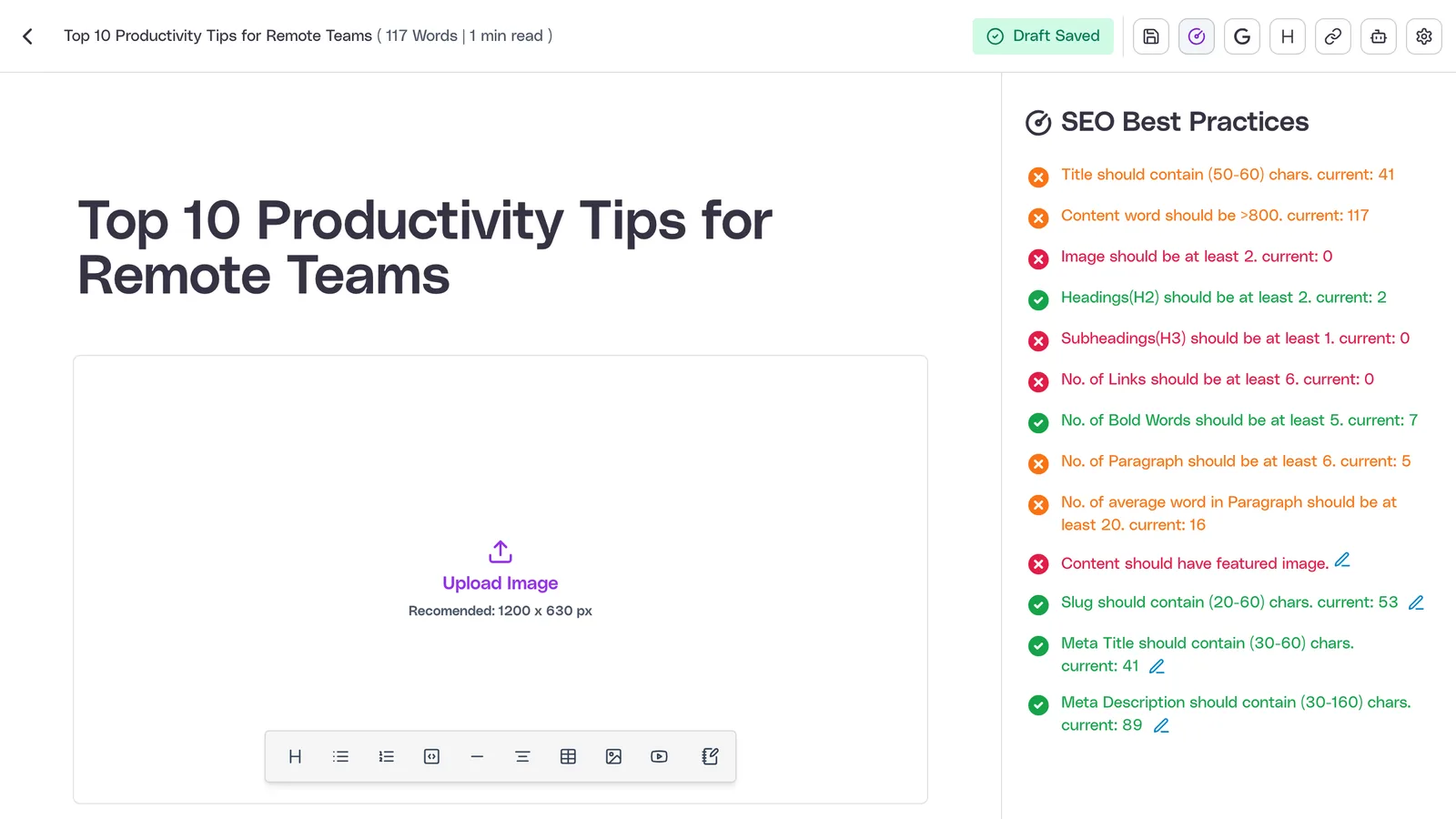
Technical SEO handled automatically
200+
Teams using Quilzy
90+
Guaranteed Lighthouse score
99.99%
Uptime guaranteed
<1s
First Contentful Paint
Great for design. Painful for blogging.
Webflow deserves credit for clean code and design freedom. But try writing a blog post in Webflow and you'll feel the friction immediately. The CMS editor is built for managing structured data, not for writing long-form content. There's no rich text blocks, no markdown, no embeds, no FAQ schema blocks. You can't import a draft from Google Docs or Notion without manual formatting cleanup. Every post is a fight with the CMS.
Writing experience
- •No import from Google Docs or Notion
- •No markdown support
- •No content blocks or embeds
- •No scheduled publishing
CMS limitations
- •2,000-10,000 item limits per plan
- •Manual JSON-LD via code embeds
- •No IndexNow or LLMs.txt
- •Cost escalation at scale
The Webflow blog SEO problem
Webflow's CMS works until it doesn't
Webflow excels at design but shows cracks when content volume and SEO depth become priorities. Great for design, painful for blogging.
Terrible writing experience
Webflow's CMS editor is built for designers, not writers. No rich text blocks, no markdown support, no easy way to import from Google Docs or Notion. Writing a blog post in Webflow is a fight with the CMS.
Manual schema and no modern SEO
No automatic JSON-LD for blog posts. No IndexNow. No LLMs.txt. You need custom code embeds for every schema type, which means developer time for work that should be automatic.
CMS limits block growth
2,000-10,000 CMS items per plan. No scheduled publishing without third-party tools. No content import from Google Docs, Notion, or WordPress. The caps tighten exactly as you scale.
Feature Comparison
Quilzy vs Webflow Blog
Purpose-built blog SEO vs a designer-focused CMS
| Feature | Quilzy | Webflow |
|---|---|---|
| Writing experience | Purpose-built editor | Designer-focused CMS |
| Markdown & content blocks | ||
| Import from Docs/Notion | One-click import | |
| JSON-LD schemas | Auto (Article, FAQ, Breadcrumb) | Manual embed required |
| IndexNow instant indexing | ||
| LLMs.txt for AI search | ||
| Scheduled publishing | Third-party required | |
| CMS item limits | Unlimited | 2,000-10,000 per plan |
| Image optimization | Auto WebP, lazy load | Manual |
| Multilingual SEO & hreflang | 37 languages, hreflang | |
| Quilzy wins on 10 key features | ||
You can focus on writing
instead of fixing
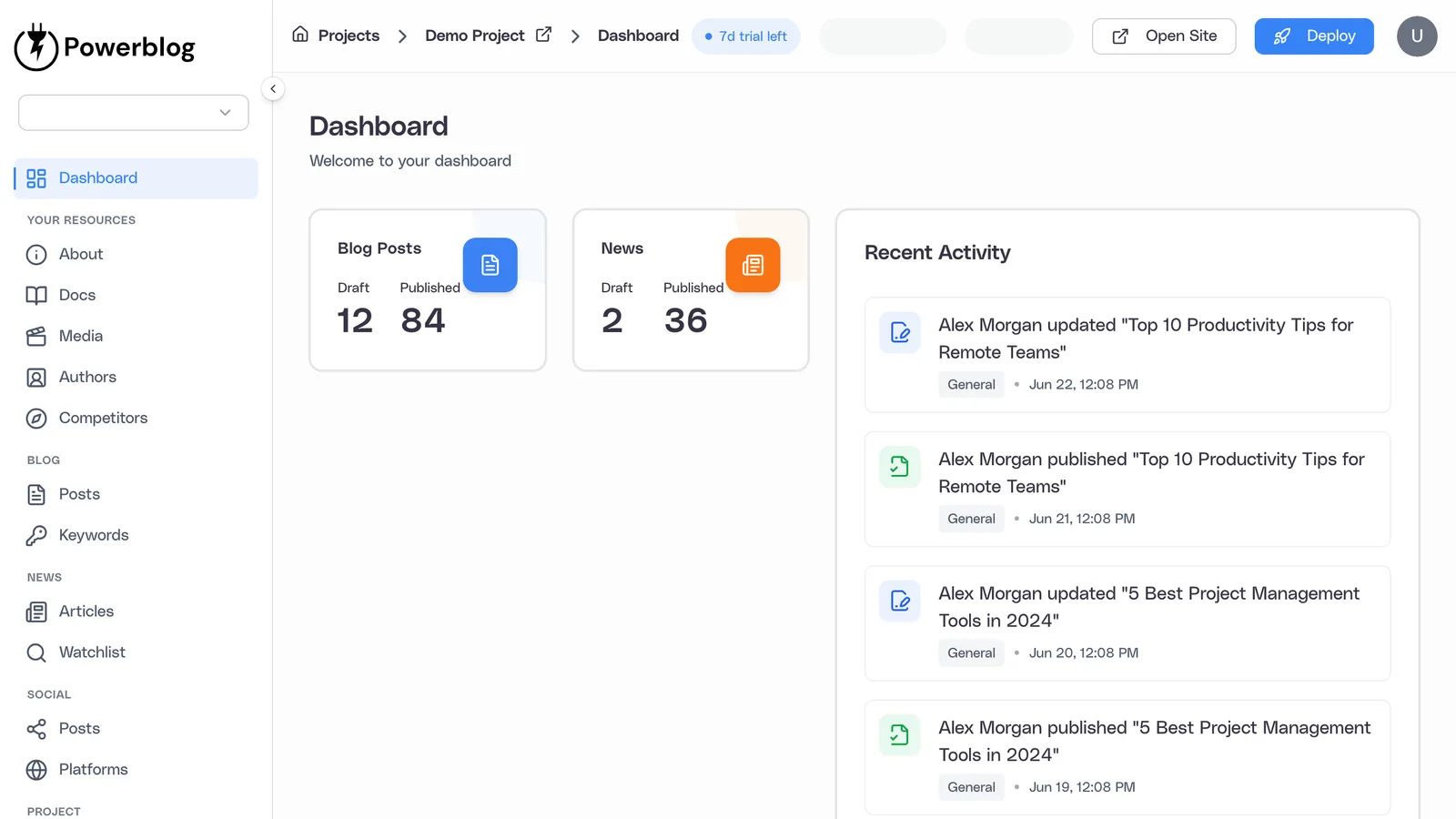
Quilzy provides optimized UI, CMS, hosting, SEO, security, marketing tools, and performance out of the box.
What You Get with Quilzy
Blog SEO features Webflow doesn't offer
Purpose-built tools for content teams that need to rank at scale
Auto JSON-LD schemas
Article, FAQ, Breadcrumb, and Organization schemas added automatically to every post. No custom code embeds or developer time required.
IndexNow protocol
Instant indexing with Bing, Yandex, and Seznam. Your new posts get discovered in minutes, not days, the moment you publish.
LLMs.txt for AI discovery
Your content is optimized for ChatGPT, Perplexity, and other AI search tools from day one, so you stay visible as search shifts to AI.
Editor built for writers
Rich text editor with content blocks, embeds, tables, markdown support, and FAQ schema blocks. Writing posts is fast and intuitive, not a fight with a CMS.
Import from anywhere
One-click import from Google Docs, Notion, WordPress, Medium, Ghost, and more. No copy-paste formatting nightmares or manual cleanup.
Unlimited posts, auto images
No CMS item caps. Auto image optimization (WebP, lazy loading, responsive) and scheduled publishing built in. Performance that search engines reward.
Loved by growth teams
200+ companies use Quilzy to publish content that ranks. Teams choose us for speed, SEO, and zero maintenance.
“I wanted a tool that just handled the writing so we could focus on our business. Quilzy's AI writes our blog for us, and it's been perfect for that.”
Renee Kessler
“Really impressed with how fast I had a blog up and running on my own site. Now I spend my time writing instead of fiddling with settings.”
Diego Marsh
“We've used Quilzy about 6 months now. Our news page updates itself every day and the writing sounds like us. Keeping it fresh has never been easier.”
Amara Okafor
“Just found Quilzy. It shares every post across all my social accounts on its own, so I barely lift a finger. Super awesome!”
Theo Vance
“Got Quilzy running in no time. Simple, but so fast. Love that it writes our blogs and news for us, ready to go.”
Nadia Fenn
“If you want one easy place to handle your blog, news, and social, I'd genuinely suggest Quilzy. It's top of class.”
Jonas Reeve
Keep the clean code, lose the CMS friction
Export your Webflow CMS data and import to Quilzy with one click. Keep your URLs, preserve your SEO equity. From $29/month.
Common Webflow blog SEO questions
Webflow outputs clean semantic HTML and gives you strong design control, which helps. But its CMS wasn't built for SEO-focused blogging: there's no automatic JSON-LD, no IndexNow, no LLMs.txt, and a writing experience built for designers. Quilzy handles all of that automatically so you can focus on content.
Webflow covers the basics like meta titles, descriptions, and sitemaps. But automatic schema markup, IndexNow instant indexing, LLMs.txt, and image optimization aren't built in. Quilzy ships all of these out of the box on every plan.
In Webflow you add JSON-LD manually through custom code embeds, configured per schema type, which means developer time for every post structure. Quilzy generates Article, FAQ, Breadcrumb, and Organization schemas automatically on every post with no code.
Webflow caps CMS items between 2,000 and 10,000 depending on your plan, and those caps cover all your collections, not just blog posts. Quilzy has no item limits, so your blog can grow without forcing a plan upgrade.
Webflow doesn't offer native scheduled publishing for the CMS, so teams rely on third-party tools or manual publishing. Quilzy includes scheduled publishing built in, so you can queue posts and publish on a calendar.
No. Webflow doesn't support the IndexNow protocol or generate an LLMs.txt file, so your posts index slower and are harder for AI search tools to discover. Quilzy generates both automatically, so new posts get found in minutes and surface in ChatGPT and Perplexity.
Webflow's CMS editor is built for managing structured data, with no rich text blocks, markdown, embeds, or FAQ schema blocks, and no clean import from Google Docs or Notion. Quilzy gives you a purpose-built editor with all of that plus one-click import, so writing isn't a fight with the CMS.
Yes. Export your Webflow CMS data and Quilzy imports your posts and images with one click. We help you keep your URLs and set up canonicals so you preserve the SEO equity you've already earned. Most migrations take under 10 minutes to start.
Still have questions about moving off Webflow? Get in touch
Ready to stop fighting your CMS and start ranking?
Join 200+ teams who publish content that ranks
Start your free trialFree for 7 Days • No credit card • Cancel anytime